

If you’ve ever needed to limit download/upload speed for a specific user, subnet, or an entire interface, Mikrotik’s simple queues are an easy way to achieve just that. There are various parameters within the simple queue menu, and I suggest reading up about these on the Mikrotik Wiki, however to create a basic queue that applies a limit to a specific target, only a few settings are required:
queue/simple/add max-limit=5M/5M queue=default-small/default-small target=192.168.0.0/24 name=test_queueThe command above creates a simple queue, the max-limit sets the upload/download speed, and “queue=x” sets the queuing algorithm.
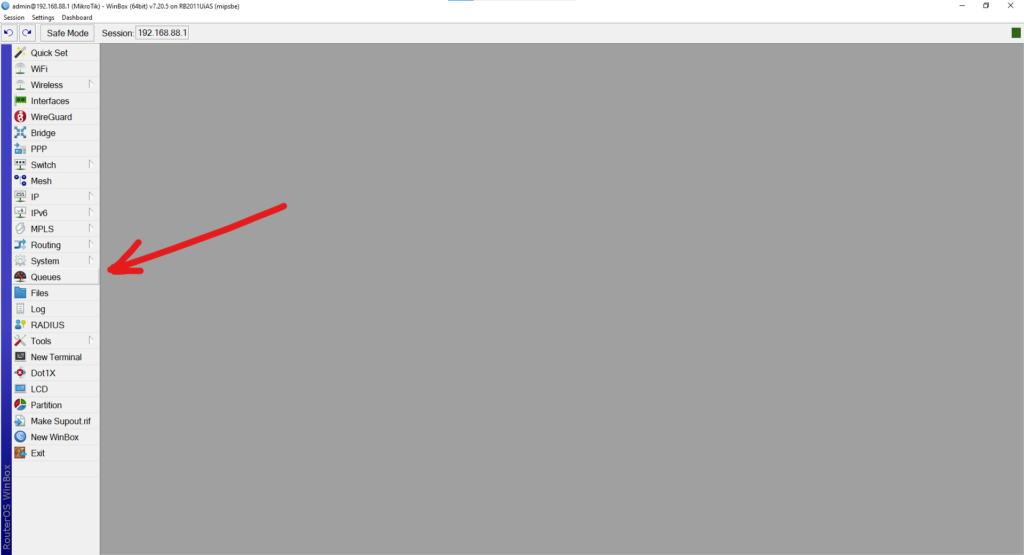
To do this in Winbox, navigate to the Queues menu, and click on the + button to create a new queue:
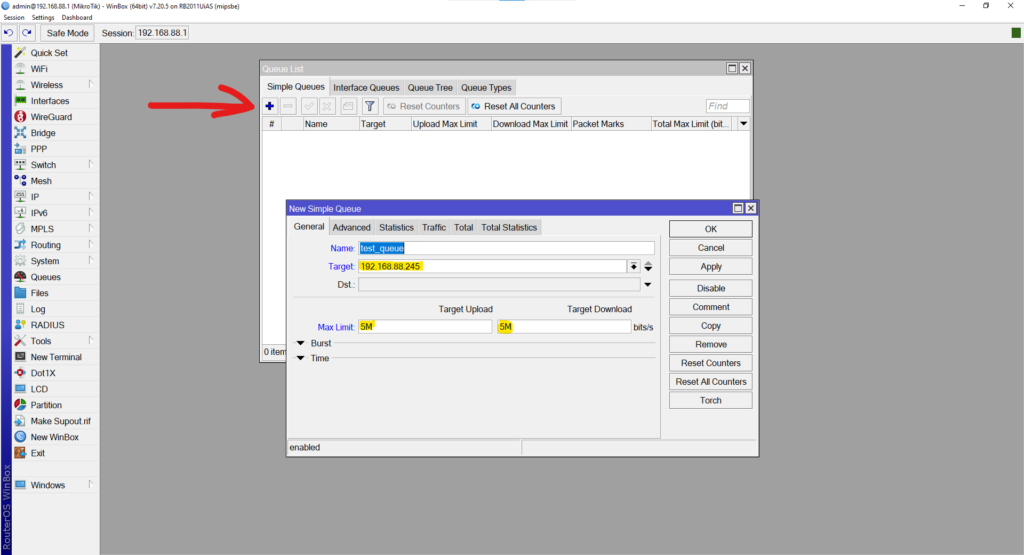
Create the queue name, set the Target, and the Max Limits.
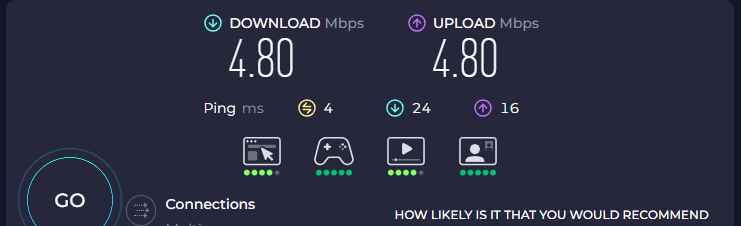
Press ok, and you now have a simple queue that will force the target to whatever speed was put in the Max Limit. In the example above, this is forcing the host 192.168.88.254 to 5Mbps upload speed, and 5Mbps download speed:
If you observe the queue in action, you will see the colour of the icon change between green, yellow and red. These change based on the amount of used bandwidth inside the queue.
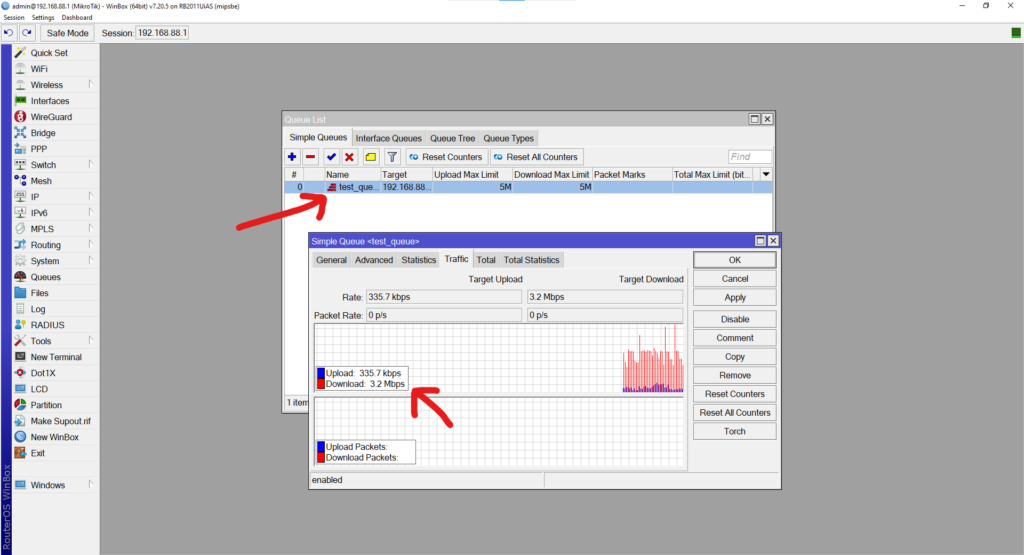
 | 0% – 50% of max-limit used |
 | 50% – 75% of max-limit used |
 | 75% – 100% of max-limit used |
I’ve set this up, but my queue is not forcing the new limits, why not?:
In order for queues to work, make sure that fasttrack is not active in firewall, otherwise queues are ignored. Interfaces inside of a bridge (slave interfaces) cannot be properly targeted using just a simple queue and will not be limited properly. Target IP addresses/subnets, or the parent interface instead.
What is PFIFO?:
PFIFO (Packet First-In, First-Out) is a basic queueing algorithm that controls the flow of packets in a first in, first out sequence. Each new packet is added to the back of the queue as it arrives, and packets at the front of the queue are transmitted out an interface as bandwidth becomes available.
All traffic is treated the same, with no preference or prioritisation. If the queue is full when a packet arrives, that packet is dropped.
A good way to picture PFIFO is a single queue at a counter: whoever arrives first gets served first, and if the queue is full, new arrivals are turned away.